Do you own a collection of JBL speakers and dream of a sound experience that fills every corner of your home or outdoor gathering? Connecting multiple JBL speakers, often referred to as “daisy-chaining,” transforms your listening from personal enjoyment to an immersive auditory event. While not a literal chain, JBL’s innovative technologies allow these portable powerhouses to sync up wirelessly, creating a unified, louder, and more expansive soundstage. Whether you’re aiming for booming bass at a backyard BBQ or rich, detailed stereo sound for a movie night, understanding how to link your JBL speakers is key to unlocking their full potential. This comprehensive guide will walk you through the process, ensuring your music never misses a beat.
JBL Multi-Speaker Connectivity: An Overview
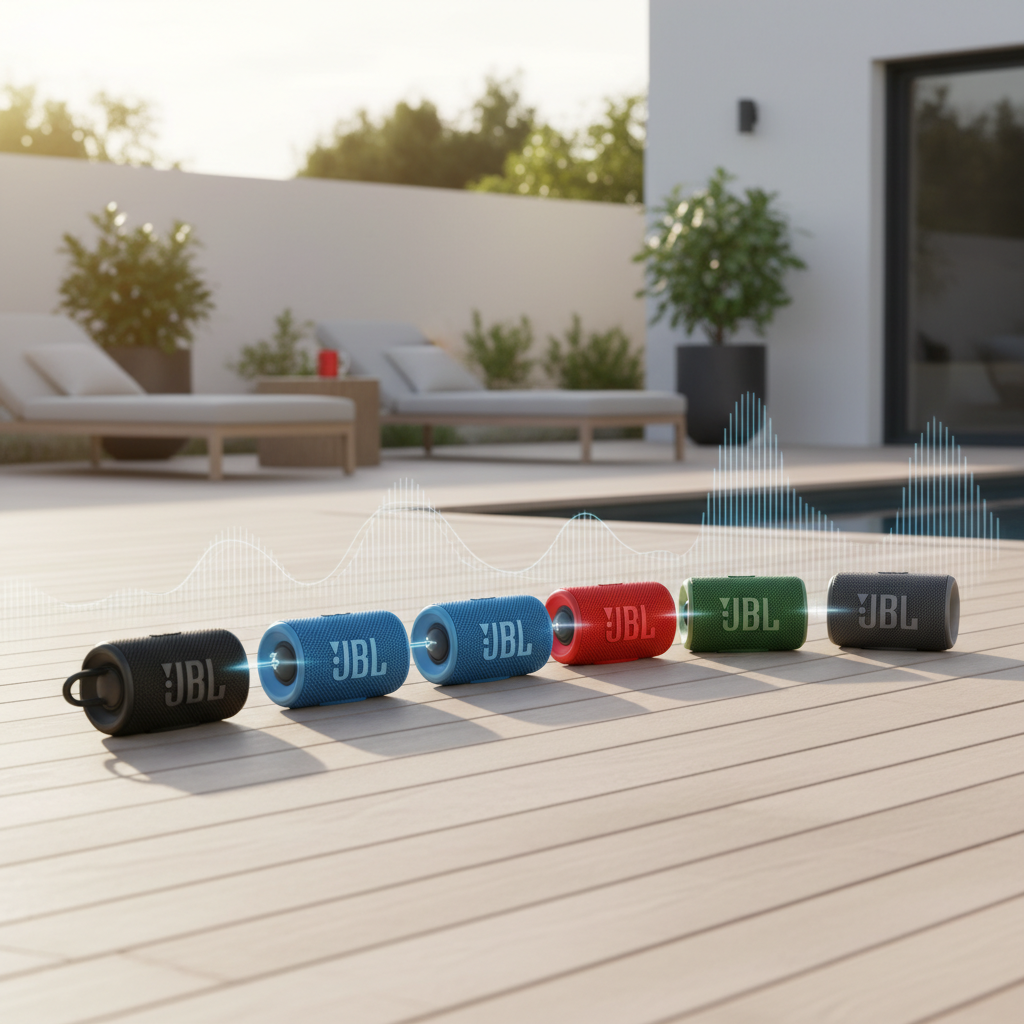
At its core, “daisy-chaining” JBL speakers refers to wirelessly linking them to play audio from a single source simultaneously. This isn’t just about making music louder; it’s about expanding your soundscape, ensuring consistent audio quality across a larger area, or even creating a true stereo experience with distinct left and right channels. The evolution of JBL’s proprietary pairing technologies has made this seamless connectivity a hallmark of their portable speaker lineup.
Over the years, JBL has introduced several generations of these multi-speaker linking features. Each iteration brought improvements in stability, range, and the number of speakers that could be connected. From the early days of connecting just a couple of speakers to the ability to link dozens, JBL has continually pushed the boundaries of portable audio sharing. The primary benefit remains the same: transforming individual speakers into a cohesive sound system, perfect for parties, outdoor adventures, or simply filling a large room with your favorite tunes.
Understanding JBL’s Multi-Speaker Technologies
To successfully daisy chain your JBL speakers, it’s crucial to understand the different connectivity technologies JBL employs. These include JBL Connect, JBL Connect+, JBL PartyBoost, and the newest, JBL Auracast. A critical point to remember is that these technologies are generally not cross-compatible. A speaker designed for Connect+ will not pair with a speaker using PartyBoost, and vice-versa. This segmentation is important to note before you begin.
- JBL Connect: This was JBL’s original multi-speaker pairing technology. It primarily allowed users to connect two compatible JBL speakers for a stereo or party experience. Speakers featuring JBL Connect are typically older models.
- JBL Connect+: An upgrade from Connect, this technology significantly expanded the possibilities, allowing you to link up to 100 JBL Connect+ enabled speakers together. It typically relies on the JBL Portable app for managing connections and switching between party and stereo modes.
- JBL PartyBoost: Replacing Connect+, PartyBoost offers a more robust and stable Bluetooth connection, improved range, and enhanced audio clarity. Like Connect+, it allows pairing up to 100 compatible speakers. PartyBoost also leverages the JBL Portable app for seamless control over stereo and party configurations.
- JBL Auracast: The latest and most advanced technology, Auracast is based on Bluetooth LE Audio. This innovative feature allows for theoretically unlimited compatible speakers to be connected, boasts a wider reach, and offers lower battery drain. Crucially, Auracast is a non-proprietary standard, meaning JBL Auracast speakers can potentially connect with Auracast-enabled devices from other manufacturers, ushering in a new era of cross-brand compatibility. The JBL Xtreme 4 is a notable exception, supporting both PartyBoost and Auracast, making it uniquely versatile.
JBL Multi-Speaker Technology Compatibility at a Glance
Understanding which technology your speakers use is the first and most vital step in connecting them. This table provides a quick reference to help identify compatibility and key features.
| Feature / Technology | JBL Connect | JBL Connect+ | JBL PartyBoost | JBL Auracast |
|---|---|---|---|---|
| Max Speakers | 2 | Up to 100 | Up to 100 | Unlimited |
| Compatible Speakers (Examples) | Flip 3, Charge 3, Pulse 2, Xtreme (original) | Flip 4, Charge 4, Pulse 3, Xtreme 2, Boombox (original) | Flip 5/6, Charge 5, Pulse 4/5, Xtreme 3, Boombox 2/3 | Go 4, Clip 5, Xtreme 4, Charge 6 |
| Interoperability | Connect only with Connect speakers | Connect only with Connect+ speakers | Connect only with PartyBoost speakers (Xtreme 4 exception) | Connect with other Auracast-enabled devices (JBL and other brands) |
| App Support | Limited/None | JBL Portable app | JBL Portable app | JBL Portable app |
| Key Benefit | Basic pairing | Expanded sound | Robust connection, enhanced range | Universal, future-proof, low power consumption |
Your Step-by-Step Guide to Daisy Chaining JBL Speakers
Connecting your JBL speakers is a straightforward process once you’ve confirmed their compatibility. Follow these steps to get your multi-speaker setup up and running:
Preparation is Key
Before you begin, a little preparation goes a long way to ensure a smooth connection process:
- Charge All Speakers: Ensure every JBL speaker you intend to connect is fully charged. Low battery can lead to connection issues or premature disconnections.
- Verify Compatibility: Double-check that all your speakers support the same multi-speaker technology (Connect, Connect+, PartyBoost, or Auracast). As previously noted, different technologies cannot link together.
- Download the JBL Portable App: For Connect+, PartyBoost, and Auracast enabled speakers, download the “JBL Portable” app (available on iOS and Android). This app provides enhanced control, including switching between stereo and party modes.
|
Our Picks for the Best Bluetooth speaker in 2026
As an Amazon Associate I earn from qualifying purchases.
|
||
| Num | Product | Action |
|---|---|---|
| 1 | Soundcore Boom 2 By Anker, Outdoor Speaker, 80W, Subwoofer, BassUp 2.0, 24H Playtime, IPX7 Waterproof, Floatable, RGB Lights, USB-C, Custom EQ, Bluetooth 5.3, Portable for Camping and Beach - Black |

|
| 2 | Anker Soundcore 2 Portable Bluetooth Speaker, 12W Stereo Sound with Deep Bass, IPX7 Waterproof, 24-Hour Playtime, Built-in Mic, for Home, Outdoors & Travel |
|
| 3 | Monster S620 Bluetooth Speaker, Wireless Portable Outdoor Bluetooth Speakers, 60W True Wireless Stereo IPX8 Waterproof, Dual PairingBluetooth 5.4 Built-in Mic, Perfect for Home, Blue |
|
| 4 | Portable Bluetooth Speaker, IPX7 Waterproof Wireless Speaker with 20W Loud Stereo Sound, 15H Playtime & Beat-Synced RGB Light, Small Outdoor Speaker for Shower, Pool, Beach, Hiking and Gifts |
|
| 5 | JBL FLIP 5, Waterproof Portable Bluetooth Speaker, Black, Small |
|
| 6 | Bose SoundLink Flex Bluetooth Speaker (2nd Gen) - Portable Outdoor Speaker with Hi-Fi Audio, Waterproof and Dustproof, USB-C, Up to 12 Hours Battery Life, Twilight Blue - Limited Edition Color |
|
| 7 | JBL Go 4 - Ultra-Portable, Waterproof and Dustproof Bluetooth Speaker, Big JBL Pro Sound with Punchy bass, 7-Hour Built-in Battery, Made in Part with Recycled Materials (Blue) |
|
| 8 | JBL Charge 6 - Portable Waterproof & Drop-Proof Bluetooth Speaker, Bold JBL Pro Sound with AI Sound Boost, 28Hrs of Playtime, Built-in powerbank & Comes with a Sturdy/Removable Carrying Strap (Black) |
|
| 9 | BolaButty Bluetooth Speaker with HD Sound, Portable Wireless, IPX5 Waterproof, Up to 20H Playtime, TWS Pairing, BT5.3, for Home/Party/Outdoor/Beach, Electronic Gadgets, Birthday Gift (Black) |
|
| 10 | JBL Go 3 - Portable Mini Bluetooth Speaker, big audio and punchy bass, IP67 waterproof and dustproof, 5 hours of playtime, speaker for home, outdoor and travel (Black) |
|
General Connection Steps (Applicable to all technologies)
-
Power On & Pair Primary Speaker:
- Turn on the first JBL speaker you wish to use. This will be your primary or host speaker.
- Enable Bluetooth on your audio source device (smartphone, tablet, laptop).
- Locate the primary JBL speaker in your device’s Bluetooth settings and pair with it. You should hear a confirmation sound from the speaker.
-
Start Music Playback:
- Begin playing your desired music or audio content through your source device.
- Confirm that the primary speaker is playing sound clearly. This ensures a stable initial connection.
-
Activate Multi-Speaker Mode on Primary Speaker:
- Locate and press the dedicated “Connect,” “Connect+,” “PartyBoost,” or “Auracast” button on your primary JBL speaker. This button often has an infinity symbol, a chain link icon, or a distinctive “PartyBoost” logo.
- The speaker’s LED indicator lights might change to show it’s searching for other speakers.
-
Connect Secondary Speakers:
- Turn on all additional compatible JBL speakers you want to link.
- One by one, press the corresponding “Connect,” “Connect+,” “PartyBoost,” or “Auracast” button on each secondary speaker.
- Wait a few seconds after pressing the button on each speaker. You should hear a confirmation tone from the newly connected speakers, indicating they have joined the group.
Using the JBL Portable App (for Connect+, PartyBoost, and Auracast)
Once your speakers are connected using the physical buttons, the JBL Portable app offers an intuitive way to manage your multi-speaker setup:
- Open the App: Launch the JBL Portable app on your smartphone or tablet. It should automatically detect your connected speakers.
- Choose Your Mode:
- Party Mode: Select “Party Mode” within the app to have all linked speakers play the same audio content simultaneously. This is ideal for maximizing volume and spreading sound throughout a larger area.
- Stereo Mode: If you have two identical (for PartyBoost) or compatible (for Connect+/Auracast) speakers, you can select “Stereo Mode.” This will designate one speaker as the left audio channel and the other as the right, creating a more dynamic and immersive stereo soundstage.
“The biggest hurdle for users wanting to daisy chain JBL speakers is often the fragmentation of their proprietary technologies. Always double-check your speaker’s compatibility before attempting to connect, as Connect, Connect+, and PartyBoost generally do not mix. Newer Auracast technology promises a more unified future, but for now, matching generations is key.” – Audio Tech Expert, Sound Innovations Journal
Optimizing Your Multi-Speaker JBL Experience
Connecting your speakers is just the beginning. A few tips can help you get the best out of your multi-speaker JBL setup:
- Speaker Placement: Strategic placement can significantly impact your sound experience. For Party Mode, distribute speakers evenly throughout the listening area to ensure balanced coverage. In Stereo Mode, place the two speakers a few feet apart for optimal channel separation and a broader soundstage.
- Battery Management: Running multiple speakers can drain batteries faster. Ensure all speakers are fully charged before extended use, especially if you’re outdoors without power access.
- Firmware Updates: Regularly check for and install firmware updates via the JBL Portable app. Updates often include performance enhancements, bug fixes, and sometimes even new features that can improve connectivity and audio quality.
- Troubleshooting Common Issues:
- Speakers Not Connecting: Double-check compatibility, ensure all speakers are within Bluetooth range of the primary device, and try restarting both the speakers and your source device.
- Audio Dropouts: Move speakers closer together or closer to your primary source device. Avoid obstructions that could interfere with the Bluetooth signal.
- Volume Discrepancies: While Party and Stereo modes typically sync volume, individual speaker adjustments might occasionally be needed. The JBL Portable app can help manage this.
For those with incompatible speaker generations, alternative (though less ideal) solutions exist. These include using AUX splitters (which sacrifices waterproofing and requires a wired connection) or third-party apps like AmpMe (which streams audio to multiple devices but isn’t a true “daisy chain” of the speakers themselves). However, for the best and most seamless experience, sticking to JBL’s integrated wireless technologies with compatible speakers is highly recommended.
Conclusion
Daisy chaining multiple JBL speakers is a fantastic way to elevate your audio experience, whether you’re hosting a lively party or simply enjoying your favorite tracks with enhanced sound. By understanding the nuances of JBL Connect, Connect+, PartyBoost, and Auracast technologies, and ensuring your speakers are compatible, you can effortlessly link them together. Remember to prepare your speakers, follow the simple pairing steps, and leverage the JBL Portable app for ultimate control over Party or Stereo Mode. With these powerful features at your fingertips, you’re ready to unlock a world of expansive, dynamic sound. So, go ahead, connect your JBL speakers, and immerse yourself in the music. What epic soundscape will you create next?
Frequently Asked Questions
What is the difference between JBL Connect+ and PartyBoost?
JBL PartyBoost is a newer, more advanced technology than Connect+. PartyBoost offers a stronger Bluetooth connection, greater range, and improved audio clarity. Both allow connecting up to 100 speakers, but they are not compatible with each other, meaning Connect+ speakers cannot link with PartyBoost speakers.
Can I connect a JBL Flip 5 with a JBL Flip 4?
No, you cannot directly connect a JBL Flip 5 (which uses PartyBoost) with a JBL Flip 4 (which uses Connect+). These two technologies are not cross-compatible, so speakers must support the same multi-speaker technology to be linked together.
How many JBL speakers can I connect together?
With JBL Connect+ and PartyBoost technologies, you can connect up to 100 compatible speakers. The newest JBL Auracast technology takes this even further, allowing for a theoretically unlimited number of compatible speakers to be connected.
Do I need the JBL Portable app to connect multiple speakers?
For JBL Connect+, PartyBoost, and Auracast, while you can often initiate basic pairing using the speaker buttons, the JBL Portable app is highly recommended. It provides essential features like switching between “Party Mode” and “Stereo Mode,” managing your connected speakers, and accessing firmware updates.
What is Stereo Mode and Party Mode?
“Party Mode” means all connected speakers play the same audio simultaneously, creating a louder and more expansive sound field. “Stereo Mode,” available on Connect+ and PartyBoost (often requiring two identical speakers for PartyBoost), designates one speaker as the left channel and the other as the right, delivering a more immersive, true stereo audio experience.
My JBL speakers aren’t connecting. What should I do?
First, verify that all your speakers support the same multi-speaker technology (Connect, Connect+, PartyBoost, or Auracast). Ensure they are fully charged and within Bluetooth range of your primary device. Try restarting both the speakers and your audio source device. If the issue persists, check the JBL Portable app for any diagnostics or available firmware updates.